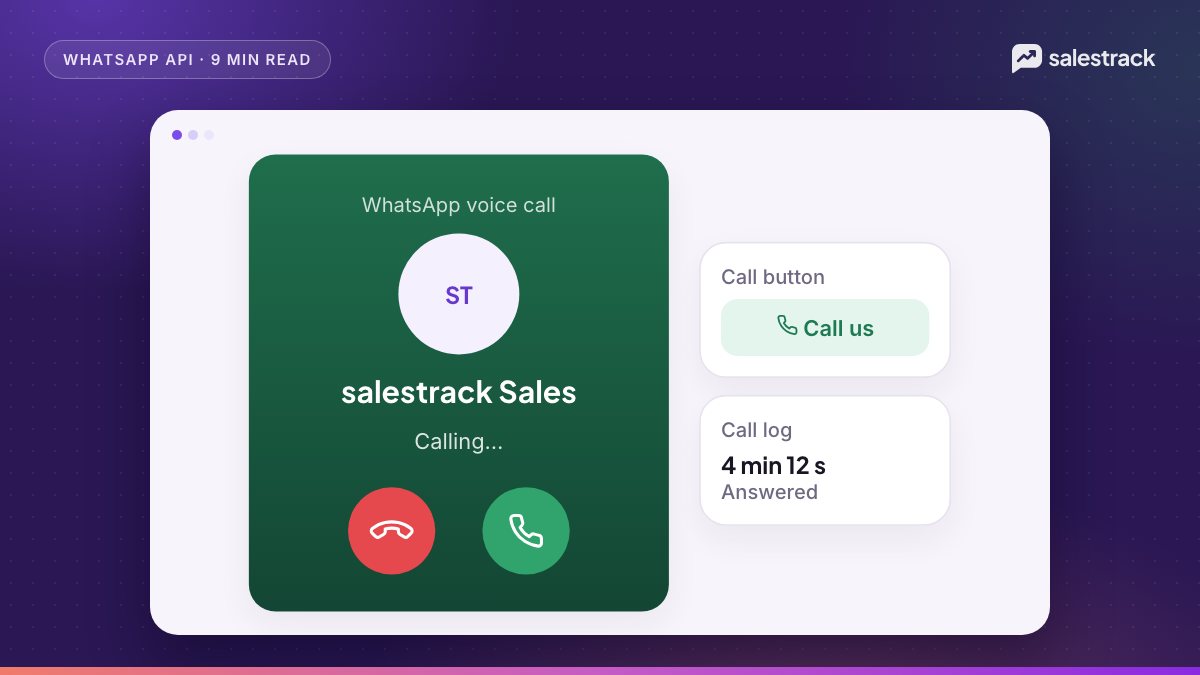
The WhatsApp Business Calling API lets a business take voice calls from customers and, with their permission, call them back over WhatsApp, on the same number it uses for messaging. Calls run over the internet (VoIP), not the phone network. Calls that customers make to you are free. Calls you make are charged per minute, billed in six-second pulses, by the country of the number you call.
There are two kinds of call. User-initiated calls come from a customer tapping the call icon in your chat or profile. Business-initiated calls need the customer's permission first, which you usually get by sending a call permission request. As of November 2026, Meta lists user-initiated calling everywhere the Cloud API is available, and business-initiated calling everywhere except business numbers from the US, Canada, Egypt, Vietnam and Nigeria. India and the Gulf markets are not on that exclusion list.
This guide covers the rules, limits and pricing from Meta's Calling API documentation, the technical setup at a high level, and how sales teams can combine calls with chat.
Requirements before you can enable calling
Calling is not switched on by default. Meta's prerequisites are:
- A Cloud API number. Not a WhatsApp Business app number. If you use coexistence, Meta lists voice and video calls as not supported on the API side, so you would need an API-only number for calling.
- A messaging limit of at least 2,000. Your business portfolio must be able to message at least 2,000 unique users a day. Business verification is one way to reach this. See our guide to WhatsApp Business verification.
- An app subscribed to the
callswebhook (unless you use SIP), with messaging permission for the number. - A valid payment method, which Meta requires before you can place calls.
Once these are in place, calling is enabled in the number's call settings, where you also control when and where the call button appears.
User-initiated calls: customers calling you
When calling is enabled, customers see a call icon in your chat and business profile. Meta's pricing page states that all user-initiated calls are free for the business, and calls are free for the customer too.
The call settings give you useful controls:
- Call hours. Set your calling hours by time zone, with holiday exceptions. Outside hours, customers are directed to message you instead.
- Call icon visibility. Hide the call button entirely, or show it only to users in certain countries.
- Callback requests. If you miss a call or are closed, the customer can ask for a callback. That request also gives you temporary permission to call them.
- Call buttons and deep links. Send a message with a call button, or put a call link on your website, so a lead can call in one tap.
A user call opens or refreshes the 24-hour customer service window, whether or not you accept it. That means after a missed call you can still reply with a normal message, which is a good habit: "Sorry we missed your call. How can we help?"
Business-initiated calls and call permission requests
To call a customer, you need their permission. Meta's call permissions guide lists three ways to get it:
- Send a call permission request. Inside an open 24-hour window you can send it as a free-form interactive message. Outside the window, send it as an approved template with a text body.
- The customer calls you. If callback is enabled, their call gives you temporary permission.
- The customer allows calls from your business profile.
Since 3 November 2025, customers can choose temporary permission (7 days) or permanent permission, and they can change it any time from your profile. Permission requests are charged as normal messages under per-message pricing.
Limits per business and customer
| Rule | Limit |
|---|---|
| Permission requests | 1 per 24 hours and 2 per 7 days (reset after any connected call) |
| Temporary permission | Lasts 7 days from approval |
| Connected business-initiated calls | Up to 100 per customer every 24 hours |
| 2 consecutive unanswered calls | Customer is prompted to reconsider the permission |
| 4 consecutive unanswered calls | Permission is automatically revoked |
The unanswered-call rule is the one sales teams trip over. Ringing a lead four times in a row without an answer revokes your permission. Agree on a call slot in chat first, then call.
Availability by country, including India and the Gulf
According to Meta's availability section, checked on 1 November 2026:
- User-initiated calling is available in every location where the Cloud API is available.
- Business-initiated calling is available in every Cloud API location except for business numbers with country codes from the United States, Canada, Egypt, Vietnam and Nigeria.
The restriction is on the business number's country code. The customer you call can be in any Cloud API country. So an Indian business number can call a customer in the UAE, but a US business number cannot place business-initiated calls at all. Indian, UAE, Saudi, Qatari, Bahraini, Kuwaiti, Omani, Kenyan, South African and UK business numbers are not on the exclusion list. Call-permission features follow the same availability as business-initiated calling. Meta has changed this list before, so check the availability section of its documentation before you launch in a new market.
WhatsApp Calling API pricing
Meta charges business-initiated calls based on:
- Duration, in six-second pulses. A part pulse counts as a full one, so a 56-second call is billed as 10 pulses.
- The called person's country code.
- Your volume tier, based on calling minutes in the calendar month. If a call crosses into a cheaper tier, the whole call is charged at the cheaper rate.
User-initiated calls are free. Rate cards are published in 16 currencies, including INR, AED, SAR, GBP and USD, on Meta's Calling API pricing page. On 1 October 2026, nine markets, including Kuwait and Oman, became standalone entries on the calling rate card, but Meta says no calling rates changed on that date. Check the current card for your market rather than relying on third-party numbers.
Call recording and transcription are available as opt-in features per call and are free for now. Meta says separate pricing is planned, with advance notice, but no date has been set. Both people hear an announcement before recording starts.
Technical setup basics: Graph API, WebRTC and SIP
You do not need a phone line. A WhatsApp call is a VoIP session between the customer's app and your calling system. Meta supports three set-ups:
| Set-up | Signalling | Media |
|---|---|---|
| Default | Graph API calls and webhooks over HTTPS | WebRTC (ICE, DTLS, SRTP) |
| SIP with WebRTC | SIP over TLS (must be enabled) | WebRTC |
| SIP with SDES | SIP over TLS | SDES SRTP (must be enabled) |
The audio codec is Opus, and since March 2026 G.711 (PCMA, PCMU) is also supported. The SIP option lets a contact centre or PBX that supports SIP over TLS take WhatsApp calls; when SIP is on, the calling Graph API endpoints are not used. Meta also publishes an Asterisk integration example.
One rule shapes every design. Meta's integration patterns page says its terms disallow the PSTN on any leg of a WhatsApp call. You can bridge into your SIP system, but you cannot forward a WhatsApp call to a normal mobile or landline number.
How sales teams can combine calls with chat
For leads from Meta ads, the call is usually the step that closes. A workflow that respects WhatsApp's limits looks like this:
- Reply on chat within minutes and qualify with two or three questions. Speed matters more than anything else; see our guide to speed to lead.
- Ask for a good time to call in the chat, then send a call permission request or a call button.
- Call at the agreed time. A call the lead expects gets picked up, which protects your permission and pickup rate.
- Send a summary in chat right after the call: price, next step, date. The window is open, so this is a normal message.
- Log the outcome on the lead, and schedule the next follow-up.
For example, a dental clinic running implant ads could chat with a lead at 9 pm, agree on a 10 am call, and send the treatment estimate in the same thread after the call, so the full history sits in one place.
salestrack does not list WhatsApp Calling API support on its product pages, so treat this section as platform guidance. What salestrack does give sales teams is the chat side of this workflow on the official WhatsApp Business API: a shared inbox, a first-reply timer on every lead, a My day view that shows each rep the calls and chats due today, automated follow-ups, and walk-ins and phone calls added to a lead in seconds.
FAQ
What is the WhatsApp Business Calling API?
It is part of the WhatsApp Cloud API that lets businesses receive voice calls from WhatsApp users and, with permission, call users, using internet calling (VoIP) on the same number they use for messaging.
Are WhatsApp Business Calling API calls free?
Calls that customers make to your business are free. Business-initiated calls are charged per minute in six-second pulses, based on the called person's country code and your monthly volume tier.
Is the WhatsApp Calling API available in India?
Yes. As of November 2026, Meta lists both user-initiated and business-initiated calling as available for Indian business numbers. Business-initiated calling is not available for business numbers from the US, Canada, Egypt, Vietnam and Nigeria.
Can I call a customer on WhatsApp without permission?
No. The customer must grant permission first, either by accepting a call permission request, by calling you, or through your business profile. Permission can be temporary for 7 days or permanent, and the customer can revoke it at any time.
Can I use the Calling API on a WhatsApp coexistence number?
No. Meta requires the number to be in use with the Cloud API, not the WhatsApp Business app, and lists voice and video calls as not supported on the API for coexistence numbers.
Can WhatsApp business calls be connected to a normal phone line?
Not over the phone network. Meta's terms do not allow the PSTN on any leg of a WhatsApp call. You can connect calls to your own systems over SIP or WebRTC as long as the call stays on VoIP.
Sources
Facts in this article were checked against these sources on 1 November 2026. WhatsApp and Meta change their rules and prices often, so check the source before you rely on a number.
- Cloud API Calling overview — Meta for Developers
- Calling API pricing — Meta for Developers
- Obtain user call permissions — Meta for Developers
- Configure call settings — Meta for Developers
- Session Initiation Protocol (SIP) — Meta for Developers
- Calling integration patterns — Meta for Developers
- Call recording — Meta for Developers
- Calling API FAQ — Meta for Developers
- Messaging limits — Meta for Developers
- Onboard WhatsApp Business app users (Coexistence) — Meta for Developers