A family in Pune enquires about a 3BHK in March. They like the project, but the move is "after the kids' exams, maybe in June". Your salesperson follows up twice, gets polite replies, and then the lead quietly disappears into a list nobody opens. In June, the family books a flat with the developer who kept in touch.
That is what a WhatsApp drip campaign is for: keeping in touch without relying on anyone's memory. It sends a planned series of approved messages over weeks, one lead at a time, and stops the moment the person replies. This guide is about the long nurture drip for leads who are interested but not ready. The first two weeks after an enquiry are a different job, covered in our WhatsApp follow-up sequence guide.
The "maybe later" leads most teams lose
Every sales team has three kinds of leads: ready now, never, and later. The first two sort themselves out. The third group is where money leaks.
A "later" lead fits nobody's daily routine. Salespeople are measured on this month's bookings, so they work the hot leads. Lukewarm ones get a follow-up date that keeps moving, then no date at all.
The cost shows up twice. You paid for the lead once, and then you pay again to replace it. Meanwhile the person who said "after Diwali" often does come back to the market, just not to you. It is the same story for a patient who wants aligners "after the wedding", a student waiting for results or a buyer in Dubai waiting for a bonus.
Why manual nurture breaks down
What usually happens is not laziness. It is arithmetic. A salesperson with forty active leads cannot also remember to send something useful to sixty lukewarm ones every few weeks. So they do one of two things: nothing, or the occasional "Hi, just checking in" message that adds no value and trains the lead to ignore you.
There is also a WhatsApp-specific reason. Once 24 hours pass after the customer's last message, the WhatsApp Business Messaging Policy allows only approved message templates. A salesperson cannot simply type a fresh message to a lead who went quiet three weeks ago. Without ready templates and a system to send them, nurture stops at the policy wall.
A drip solves both: templates are approved once, and the system handles the timing.
How to set up a WhatsApp drip campaign, step by step
Think of a drip as four decisions: who enters, what they receive, how far apart, and what makes them leave. Get these right on paper before you build anything.
1. Pick one trigger and one audience
Each drip should have a single, clear entry point. Good triggers for nurture are:
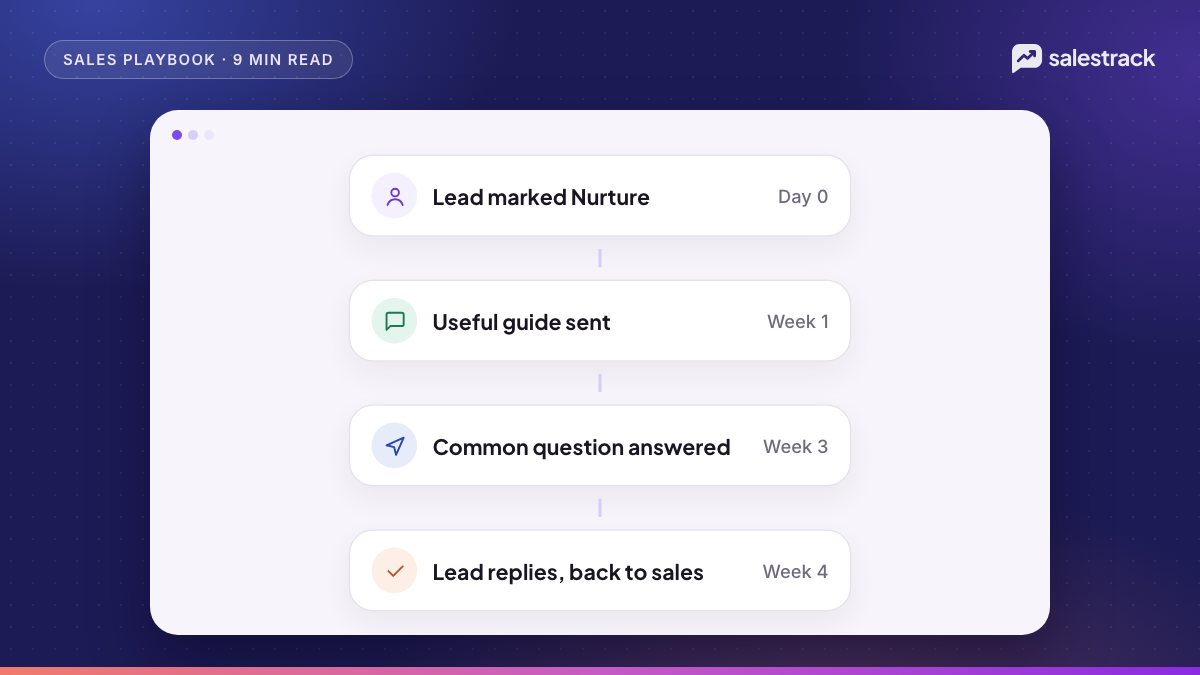
- A lead is marked Nurture ("interested, not now").
- Two weeks have passed after the enquiry with no reply to the follow-up sequence.
- A site visit, consultation or demo happened, but no booking followed.
- A quote was sent and the lead asked for time.
Keep separate drips for separate situations. A person who visited your showroom needs different messages from someone who only filled a form, and different products or cities need their own too. One generic drip for everyone is why drips feel like spam.
2. Decide the length and the spacing
For "not now" leads, space messages one to three weeks apart and plan four to six messages in total. That covers roughly two to three months, which matches how long most "later" decisions take. If your sales cycle is longer, such as property or higher education, you can add a light monthly message after that, but review whether people are still engaging.
Spacing also matters because WhatsApp may limit how many marketing templates a person receives from businesses, based on how engaged they are, according to Meta. Send too often to people who do not read, and messages simply stop arriving.
3. Plan the content: give before you ask
Each message should be useful on its own, even if the lead never replies. A simple mix that works for most businesses is shown below. The table compares the message type, what it does and an example idea.
| Message | Job | Example idea |
|---|---|---|
| Helpful guide | Show expertise, no pressure | "5 questions to ask before choosing a home loan" |
| Common question answered | Remove a doubt that stalls decisions | "Can I pay for treatment in instalments?" |
| Proof | Build trust | A short video tour, a process walk-through, photos of your facility |
| Timely reason | Give a reason to talk now | New batch dates, a new project phase, festival-season visiting hours |
| Check-in | Ask one easy question | "Are you still planning for June? Reply 1 for yes, 2 for later" |
| Close-out | Leave the door open politely | "We won't message again unless you'd like us to. Reply anytime." |
Keep each message short: the person's name, one idea, one easy action. Quick reply buttons like "Yes, call me" or "Not now" lower the effort of replying, and a reply is what you want.
4. Get the templates approved in the right category
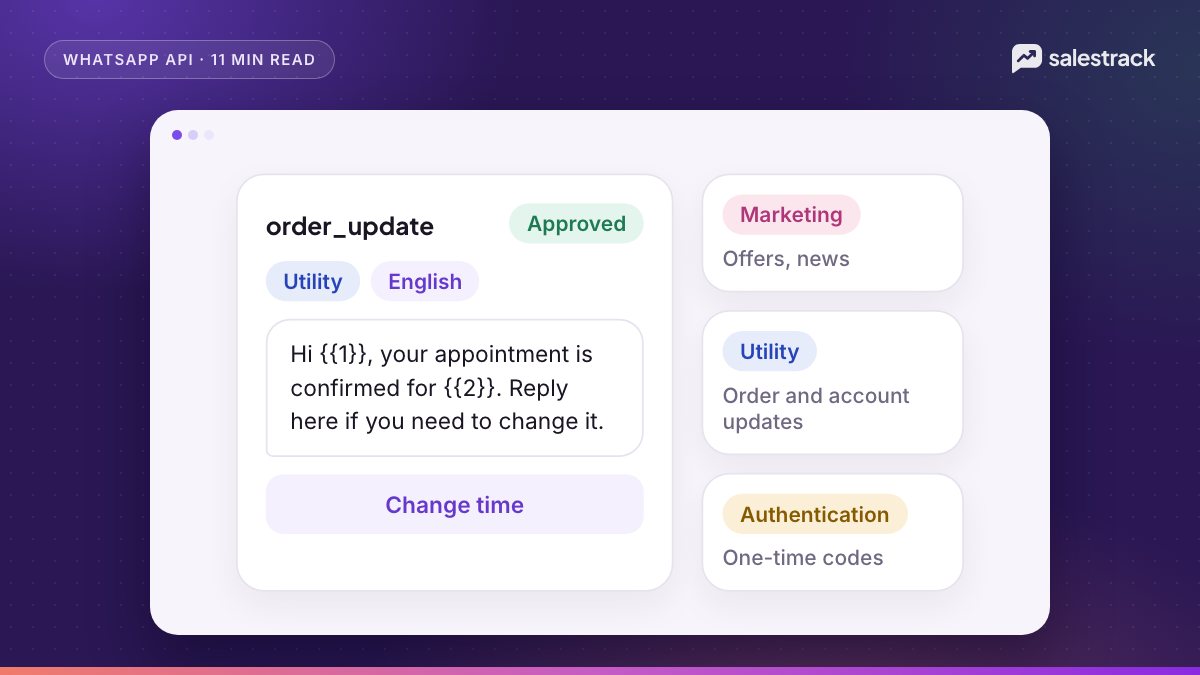
Nurture messages aim to persuade or re-engage, so expect them to be marketing templates. Meta's template category guidelines say that a template mixing useful information with a promotion is also treated as marketing. Do not try to dress a nurture message up as utility to get it through. Our guide to template categories and approval covers how to write templates that pass review.
Templates are charged per delivered message, by category and by the recipient's country, so a six-message drip costs more than a three-message one. Check Meta's rate card for your markets before you decide the length.
5. Write the exit rules before the messages
This is the step most teams skip. A lead should leave the drip when they:
- Reply to any message (a person takes over the conversation).
- Book a visit, consultation, demo or call.
- Move to another stage, or are marked won, lost or not qualified.
- Ask you to stop, in any words, on or off WhatsApp.
- Receive the last planned message.
The policy is clear on the fourth point: businesses must respect all requests to opt out. Record the opt-out on the lead so that no other drip or broadcast picks them up later.
And when someone replies, treat it as a warm lead returning. Route it to the lead's owner straight away. If nobody answers for a day, the drip did its job and the team threw it away.
Drip campaign or broadcast?
The difference is timing. A broadcast goes to a whole segment at one moment, such as a festival offer or a new launch, built from lists and segments. A drip runs on each lead's own clock, starting from their trigger, and stops for each lead separately. Use broadcasts for news that suits everyone at once, and drips for nurture, where the right message depends on when this person enquired and what they have already seen.
How salestrack runs drip campaigns
salestrack includes drip campaigns alongside ready-made chatbots and custom workflows, on any connected WhatsApp number, including numbers using coexistence. A drip sends a planned series of approved templates spaced by days, can differ by lead source or stage, and stops as soon as the lead replies or opts out. The same stop logic runs in automated follow-ups, which also stop on a stage change.
For "maybe later" leads, salespeople can mark a lead Nurture from the lead page. It leaves the active pipeline without being counted as lost, and when the person is ready, one click brings it back. A reply lands in the shared inbox with the lead's owner, so the conversation picks up where it left off.
A realistic example
Consider a coaching institute in Hyderabad that runs Meta lead ads for a weekend data-analytics course. Many enquiries come from working professionals who say they will decide "after appraisal season".
The counsellor marks these leads Nurture. That starts a five-message drip. Week 1: a short guide on how to choose a course for a career switch. Week 3: answers to the two questions counsellors hear most, about weekend timings and instalments. Week 5: a two-minute video of a real class. Week 7: the dates of the next batch. Week 9: a check-in with two buttons, "Interested in this batch" and "Not this time".
One lead replies in week 5 asking about a specific tool. The drip stops, the counsellor gets the chat and books a call. Another taps "Not this time" in week 9 and is closed politely. Nobody had to remember either of them.
Common mistakes with drip campaigns
- Sending to people who never opted in. The policy requires that people have given you their number and agreed to hear from you. Bought lists are not leads.
- No stop on reply. Sending "Did you see our brochure?" to someone who replied yesterday makes the business look careless.
- Every message is a sales push. If all six messages say "Book now", the person mutes you after the second one.
- Retrying failed messages straight away. If a template fails with error 131049, Meta's guidance is to wait at least 24 hours before trying again. Repeated quick retries can block further attempts to that person for up to a day.
- Never looking at the results. Check which step gets replies and which gets opt-outs. Rewrite or remove the weak step.
Keep the door open
Most people who say "not now" mean exactly that. They are not rejecting you; they are telling you about their timing. A good drip respects that timing. It stays useful and stays quiet when it should, so when the decision finally comes, your business is the one already sitting in their WhatsApp with the answers they need.
Start small. Pick one "later" situation your team sees every week, write five helpful messages for it and set the exit rules. If you want to see how drips, nurture and the shared inbox fit together, book a salestrack demo and we will walk you through it with your own use case.
FAQ
What is a WhatsApp drip campaign?
A WhatsApp drip campaign is a planned series of approved template messages sent automatically over days or weeks after a trigger, such as an enquiry, a site visit or a lead being marked for nurture. It stops when the person replies, books, changes stage or opts out.
How often should I send drip messages on WhatsApp?
For leads who are not ready to buy, space messages one to three weeks apart and keep the whole drip to four to six messages. WhatsApp may limit how many marketing templates a person receives when engagement is low, so fewer, more useful messages work better than frequent ones.
What's the difference between a drip campaign and a broadcast?
A broadcast sends one message to a list at one time. A drip sends a series of messages to each lead on their own clock, starting from their trigger, and stops for that lead when they reply or opt out. Use broadcasts for news and offers, drips for nurture.
Do drip campaign messages need approved templates?
Yes, in almost every case. WhatsApp's Business Messaging Policy says that outside the 24-hour customer service window you may only send approved message templates. Drip steps are days or weeks apart, so the window is usually closed when they go out.
Why did a drip message fail with error 131049?
Error 131049 means WhatsApp held back a marketing template because the person had reached their per-user marketing limit, which depends on their engagement. Meta's guidance is to wait at least 24 hours before trying again, not to retry straight away.
When should a drip campaign stop?
Stop the drip as soon as the lead replies, books, moves to another stage, buys or asks you to stop. Also stop after the last planned message. A drip that keeps running after someone has replied feels careless and can lead to blocks and reports.
Sources
Facts in this article were checked against these sources on 1 November 2026. WhatsApp and Meta change their rules and prices often, so check the source before you rely on a number.