Every broadcast goes to an audience. In salestrack you build audiences in Contacts, as a list or as a segment. Both work in a broadcast. The difference is whether the group stays fixed or keeps itself up to date.
The difference
| List | Segment | |
|---|---|---|
| What it is | A hand-picked or imported group of contacts | Saved conditions, like "Pipeline is Aligners and City is Kochi" |
| Who is in it | Only the people you add | Everyone who matches now, and anyone who matches later |
| Changes by itself? | No | Yes. Matching leads join and leave by themselves |
| Good for | Event attendees, an imported file, a VIP group | Leads at a stage, from a source, in a city |
Use a list when
- You have an exact group of people, such as everyone who attended an event.
- You are importing contacts from Excel or CSV. The import asks you to name the list.
- The group should not change after you make it.
Use a segment when
- You send the same kind of message again and again, for example to every new lead from Meta ads.
- The group depends on where leads are in your pipeline, which changes every day.
Create a segment
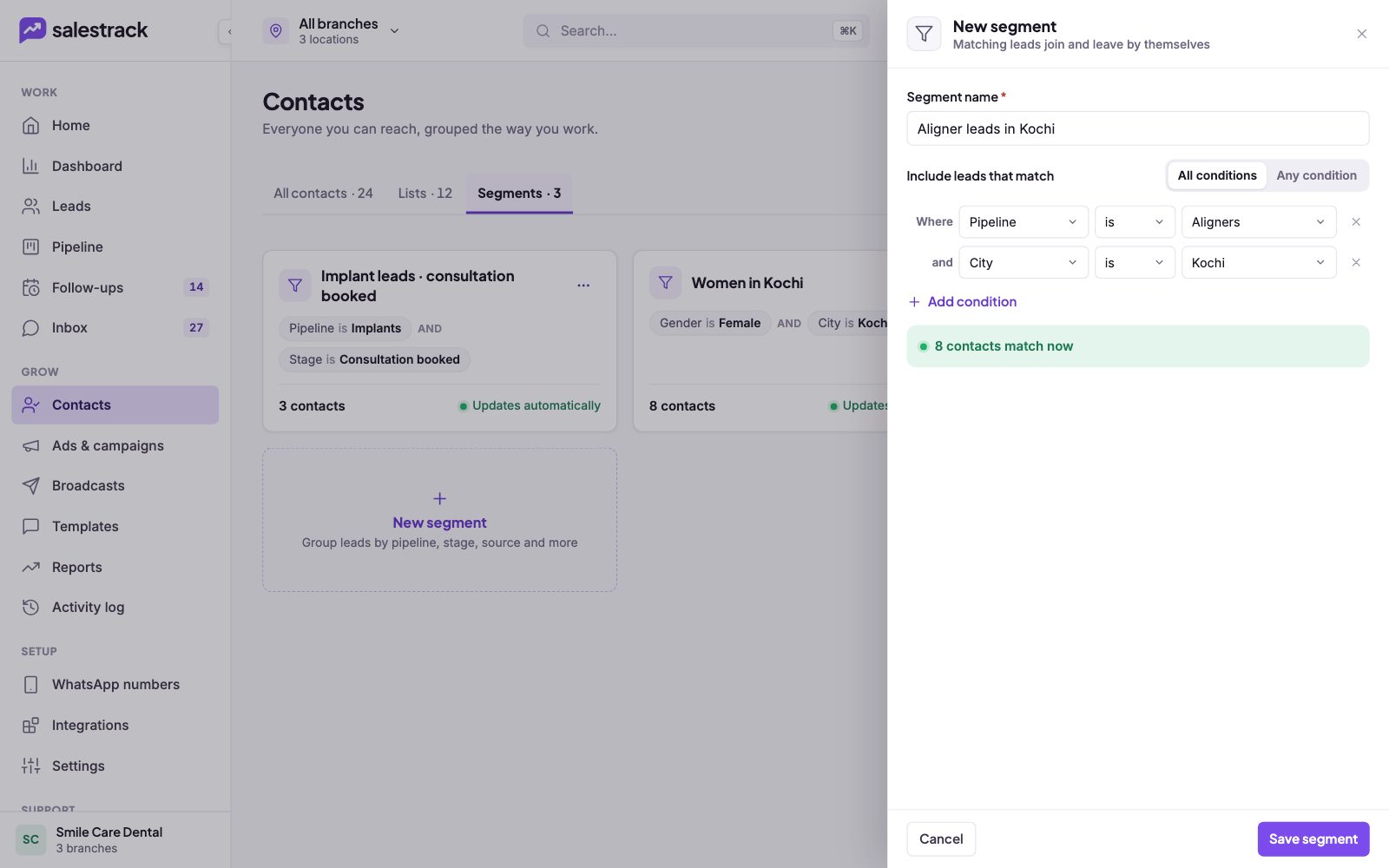
- Open Segments. In the left menu, under Grow, click Contacts, then the Segments tab. Click New segment.
- Name it. Type a clear Segment name, for example "Aligner leads in Kochi".
- Choose how conditions combine. Next to Include leads that match, pick All conditions (every condition must be true) or Any condition (one is enough).
- Add the first condition. Pick a field (Pipeline, Stage, Source, Gender, City or Label), then is or is not, then the value.
- Add more if needed. Click Add condition for each extra rule. Click the × next to a row to remove it.
- Check the count and save. The green box shows how many contacts match now. Click Save segment.
Make a list
- Pick contacts. In Contacts › All contacts, search or filter, then select the people you want.
- Add them to a list. Click Add to list and choose an existing list, or create a new list.
To bring in a file instead, see Import leads from Excel or CSV.
Read next
Still stuck? Ask us on WhatsApp.Real people reply Monday to Saturday, 9 am to 9 pm IST. Tell us what you were trying to do and we will send the answer or the right guide.Message supportEmail us