Once a broadcast is sent, salestrack tracks every message. The report tells you how many people got it, who read it, who replied or clicked, and why some messages did not go through. Use it to follow up with interested people and to retry messages that failed for a temporary reason.
The Broadcasts page
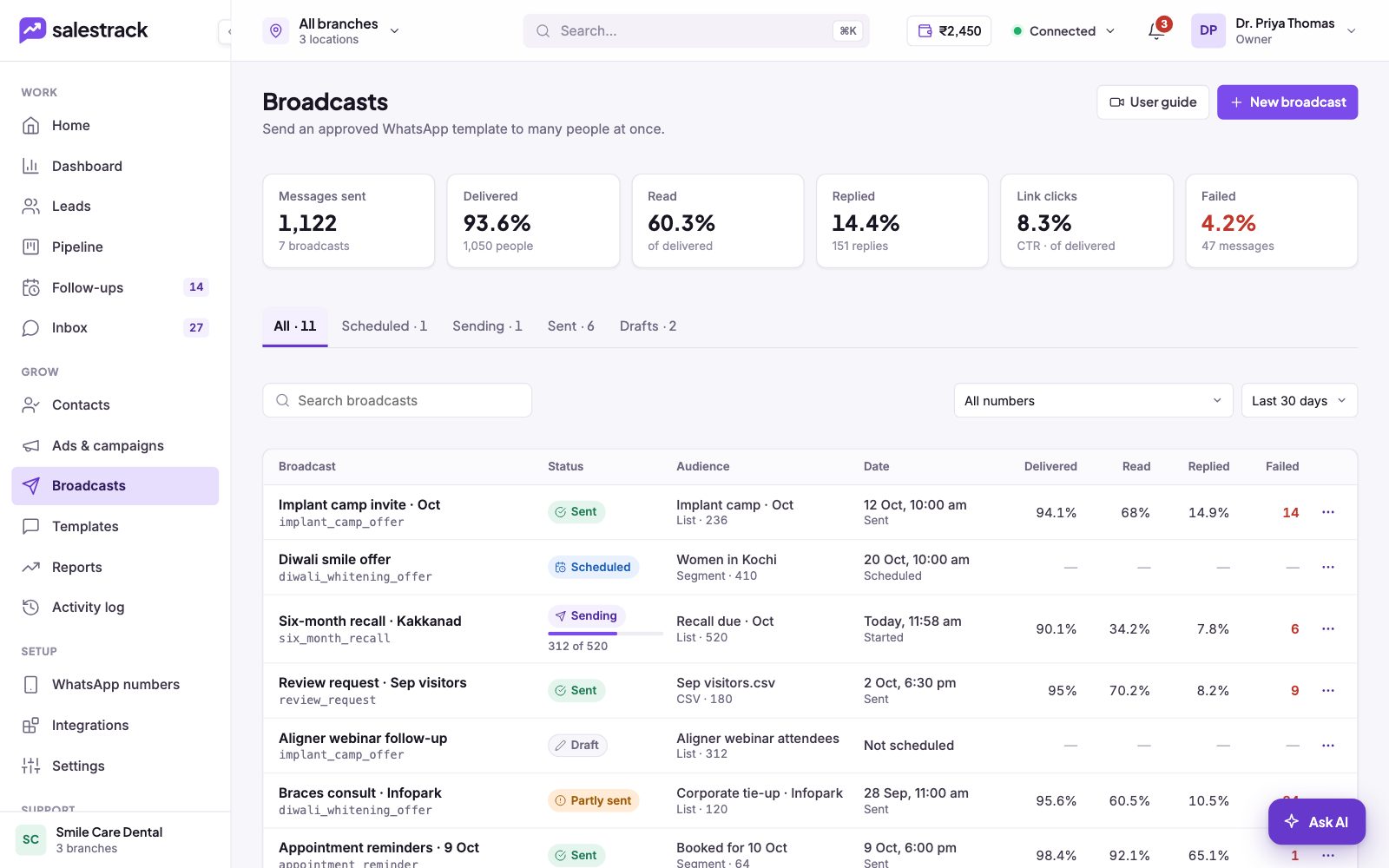
In the left menu, under Grow, click Broadcasts. The cards at the top add up all your broadcasts for the chosen dates: Messages sent, Delivered, Read, Replied, Link clicks and Failed. Below, the tabs All, Scheduled, Sending, Sent and Drafts sort your broadcasts. Filter by number or by date (Last 7, 30 or 90 days, or All time).
Each row shows a status: Sent, Scheduled, Sending, Partly sent, Draft or Cancelled.
Read the report
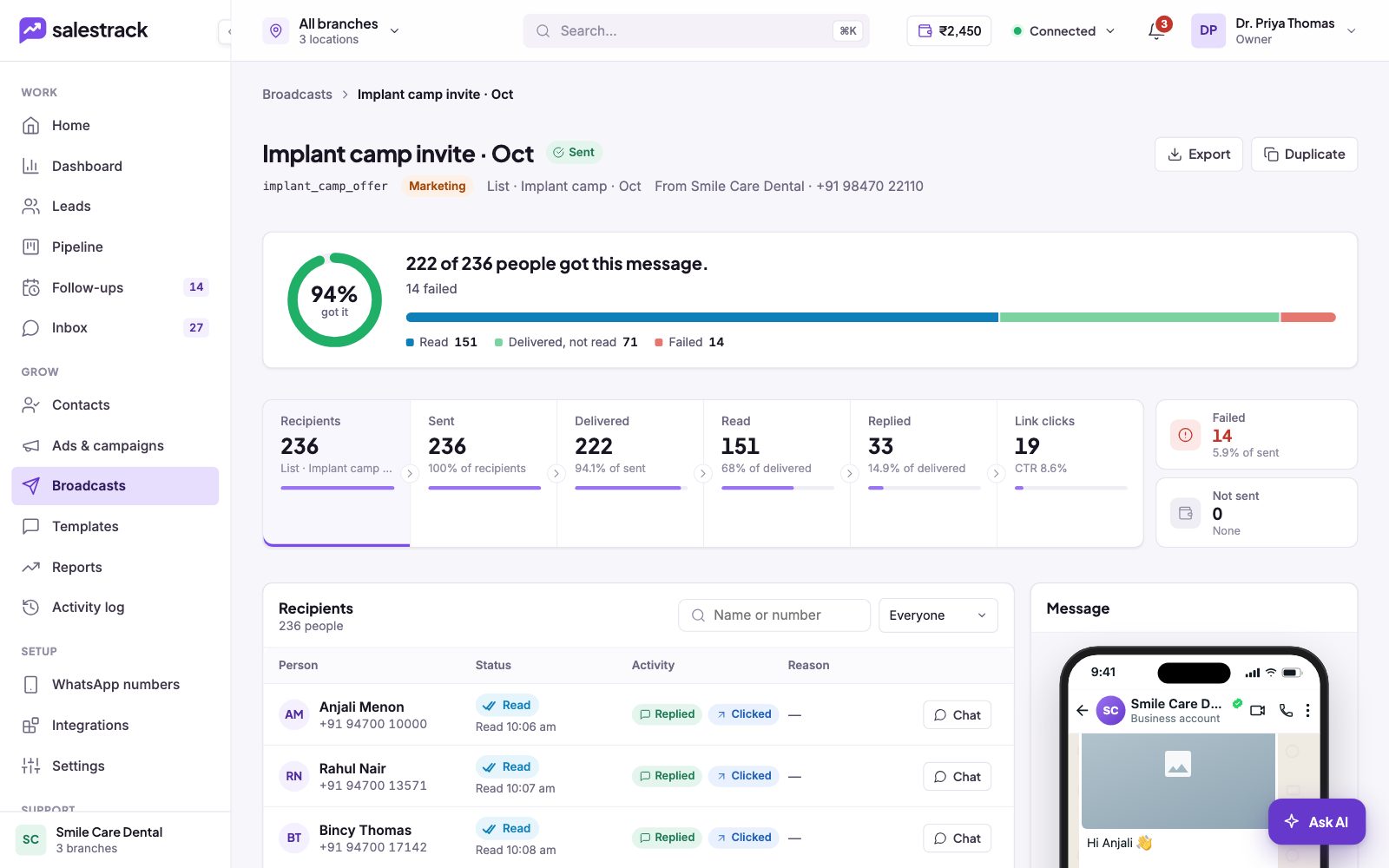
- Open a broadcast. Click its row. The top line tells you how many people got the message and how many failed.
- Check the funnel. The cards show Recipients, Sent, Delivered, Read, Replied, Link clicks, Failed and Not sent. Read and Replied are shown as a share of delivered messages.
- Filter the recipients. Click a card, or use the dropdown above the table (Everyone, Read, Delivered, Replied, Clicked a link, Failed, Not sent), to see just those people. You can also search by name or number.
- Follow up. The table shows each person's status, read time, activity (Replied, Clicked) and failure reason. Click Chat to open the conversation in the Inbox.
Retry failed messages
The section Why some people didn't get it groups failures by Meta's reason and error code. Reasons marked Can retry are temporary, for example "Meta limited marketing messages" (Meta caps how many marketing messages one person gets; it usually clears in a day) or "Something went wrong" (a temporary WhatsApp error).
- Check the reasons. Look at how many people fall under each reason.
- Retry. Click Retry N now to send again to everyone whose failure can be retried.
Other reasons cannot be fixed by retrying. "Not on WhatsApp" means the number has no WhatsApp account. "Message undeliverable" means the number may not use WhatsApp or the app is too old. "In a Meta experiment" means Meta held that person out of marketing messages for a test.
Other actions
- Export downloads the report.
- Duplicate starts a new broadcast with the same settings, handy for a reminder to people who did not read.
- While a broadcast is sending, you can click Stop sending. A scheduled broadcast can be cancelled, edited or sent now.