You do not need to read all 20 reports. Most people need three or four, checked on a regular habit. The Reports page helps you find yours by role, and lets you pin them so they are always at the top.
Find your reports
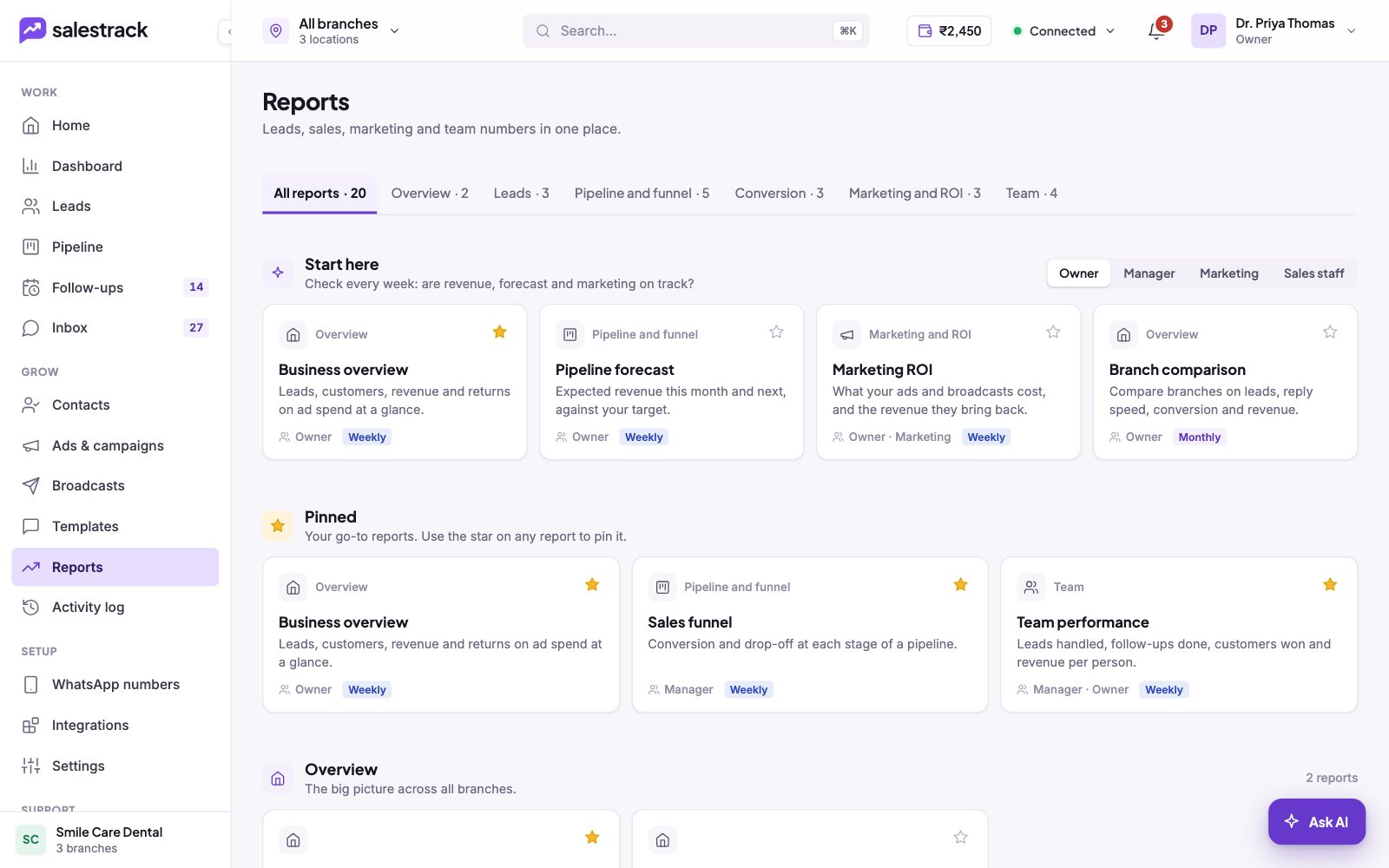
- Open Reports. In the left menu, under Grow, click Reports.
- Pick your role in Start here. Click Owner, Manager, Marketing or Sales staff. You see that role's key reports and a one-line habit, for example "Check every week: are revenue, forecast and marketing on track?"
- Pin your favourites. Click the star on any report card. Pinned reports appear in the Pinned row.
- Browse or search. Use the tabs (Overview, Leads, Pipeline and funnel, Conversion, Marketing and ROI, Team) to see a group, or search by name.
Pick by the question you have
| Your question | Report | How often |
|---|---|---|
| Are we growing? | Business overview | Weekly |
| Which branch needs help? | Branch comparison | Monthly |
| How many leads, from where? | Lead creation trend | Daily |
| Is the team working the leads? | Lead activity | Daily |
| Which sources bring customers, at what cost? | Source and channel performance | Weekly |
| Where do leads drop off? | Sales funnel | Weekly |
| Which step is slowest? | Stage time | Weekly |
| Which leads are going cold? | Stuck leads | Daily |
| Will we hit target? | Pipeline forecast | Weekly |
| Why do we lose leads? | Lost leads | Monthly |
| What does marketing spend bring back? | Marketing ROI | Weekly |
| Do our WhatsApp messages work? | WhatsApp and broadcasts | Weekly |
| Who performs, against target? | Team performance | Weekly |
| Are we replying fast enough? | Response time and follow-up | Daily |
| Is work shared fairly? | Staff workload | Daily |
| How am I doing? | My performance | Daily |
A simple habit for each role
- Owner: every week, Business overview, Pipeline forecast and Marketing ROI. Once a month, Branch comparison.
- Manager: every day, Stuck leads and Response time and follow-up. Every week, Sales funnel and Team performance.
- Marketing: Marketing ROI and Source and channel performance every week; Ads & campaigns daily.
- Sales staff: My performance, every day.
Using any report
Every report works the same way. Filter by branch, pipeline, source or owner where it applies. Choose a date range, including All time and Custom range, and tick Compare to see the change from the previous period. Click a number card to switch the main chart. Use Export for Excel, CSV or PDF, and Ask AI to ask a question about the numbers on the page.
Read next
- Read the owner dashboard · Help guide
- Find where leads drop off (sales funnel) · Help guide
- Marketing ROI and cost per customer · Help guide
- Set monthly targets and track the forecast · Help guide
- Reports feature
- Sales reports and KPIs
Still stuck? Ask us on WhatsApp.Real people reply Monday to Saturday, 9 am to 9 pm IST. Tell us what you were trying to do and we will send the answer or the right guide.Message supportEmail us