Every pipeline loses leads along the way. The question is where. The Sales funnel report shows each stage of a pipeline, how many leads reached it and where the biggest drop is, so you know which step to fix first. Managers should check it every week.
Open the report
- Open Reports. In the left menu, under Grow, click Reports, then the Pipeline and funnel tab.
- Click Sales funnel. Star it if you want it in your Pinned row.
- Pick a pipeline. The funnel shows one pipeline at a time. Also choose branch, source and a date range. Tick Compare to see changes from the previous period.
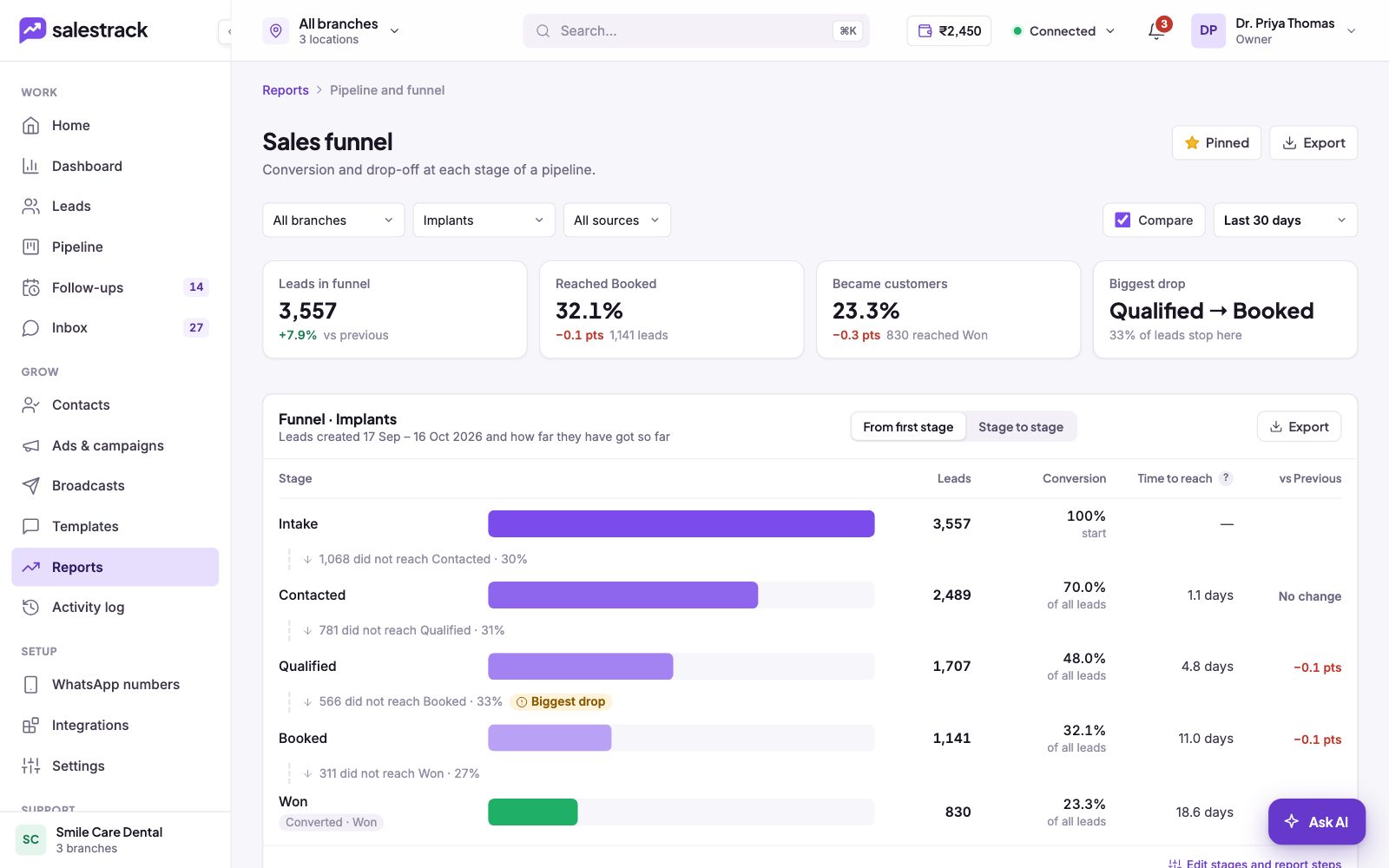
Read the funnel
- The cards. Leads in funnel, the share that reached Booked, the share that became customers (reached Won), and the Biggest drop.
- The funnel table. One row per stage, with leads, conversion, average time to reach the stage and the change from the previous period. Between stages you see how many did not reach the next one.
- From first stage / Stage to stage. "From first stage" shows each stage as a share of all leads. "Stage to stage" shows the share that moved on from the stage before.
The funnel counts leads created in the chosen dates and how far they have got so far. A recent date range will look lower simply because those leads are still moving.
Where leads ended up, and why they drop
Where leads ended up? splits every lead in the funnel into Won, Still open, Nurture, Not qualified and Lost, with the stage where most of them left. A short note works out your conversion with not-qualified leads left out, and how many leads in nurture are worth following up later.
Why leads drop? shows, for each step, how many leads were lost, not qualified, moved to nurture or are still open, plus the top lost reason at that step.
Compare branches, sources and owners
Stage conversion per week shows whether things are getting better over time. Switch between Day and Week. At the bottom, Funnel by branch lists each branch's leads and the share that reached each stage. Switch the table to Source or Owner to compare channels or team members.
Read next
- Which report should I check? · Help guide
- Move leads through the pipeline · Help guide
- Mark a lead Lost, Not qualified or Nurture · Help guide
- Marketing ROI and cost per customer · Help guide
- Reports feature
- Sales reports and KPIs