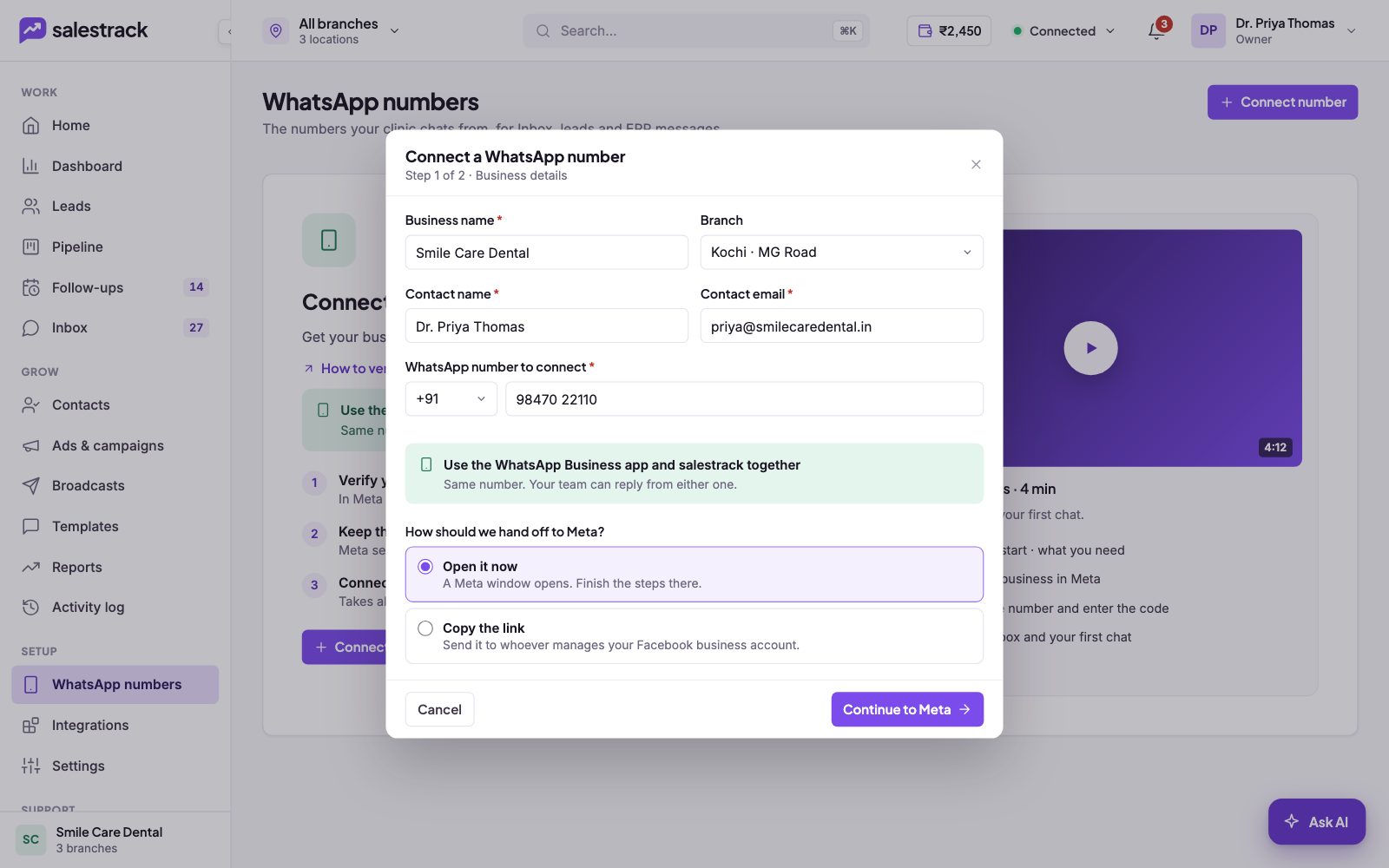
Many businesses already chat with customers on the WhatsApp Business app and do not want to lose that number or its history. With salestrack you keep the app. You connect the same number, and your team can reply from the phone app or from salestrack. Meta calls this coexistence.
How it works
- Same number. Customers keep messaging the number they already know.
- Reply from either one. Someone at the front desk can answer on the phone, and your sales team can answer in the salestrack Inbox.
- Your history comes with you. When you connect, the phone app stays on and salestrack imports the last 6 months of chats.
- Every number works this way. All numbers you connect to salestrack can be used alongside the WhatsApp Business app.
Set it up
There is no separate setting. You get coexistence when you connect a number that already runs on the WhatsApp Business app.
- Keep the phone with the app nearby. Meta sends a 6-digit code to it during setup.
- Start connecting. Go to WhatsApp numbers and click Connect number. Enter the number that is on your WhatsApp Business app.
- Finish the Meta steps. Click Continue to Meta and complete the steps in Meta's window. The full walkthrough is in Connect your WhatsApp number.
- Check the confirmation. You will see that the phone app stays on and that your recent chats are being imported.
Good habits when you use both
- Decide who replies where. If two people answer the same chat from two places, the customer gets two replies. Agree, for example, that leads are answered in salestrack and walk-in questions on the phone.
- Use salestrack for lead work. Follow-ups, assignment, labels and reports live in salestrack, next to the chat.
- Watch first reply time in salestrack. The Inbox shows how long each chat has been waiting, so nothing slips while someone is busy on the phone.
If something goes wrong
If old chats are missing right after you connect, give the import some time to finish. If a number stays Pending, open WhatsApp numbers and click Finish setup. For anything else, message us on WhatsApp at +91 80860 14345 or email harshad@dentobees.com.
Read next
- Connect your WhatsApp number · Help guide
- Reply to leads in the Inbox · Help guide
- Check number status, quality and daily limits · Help guide
- WhatsApp coexistence explained
- WhatsApp inbox feature
Still stuck? Ask us on WhatsApp.Real people reply Monday to Saturday, 9 am to 9 pm IST. Tell us what you were trying to do and we will send the answer or the right guide.Message supportEmail us