WhatsApp has one rule that shapes every business chat. When a customer messages you, a 24-hour reply window opens. Inside it you can send any message you like. Once it closes, you can only send a template that Meta has approved. salestrack tracks the window for every chat so you never have to work it out.
How the window works
- It opens when the lead messages you. The 24 hours count from the lead's last message, not yours.
- It resets every time they reply. A new message from the lead starts a fresh 24 hours.
- Inside the window: type freely, send files and photos, and use quick replies.
- Outside the window: send an approved template. When the lead replies to it, the window opens again and you can chat freely.
See the window in salestrack
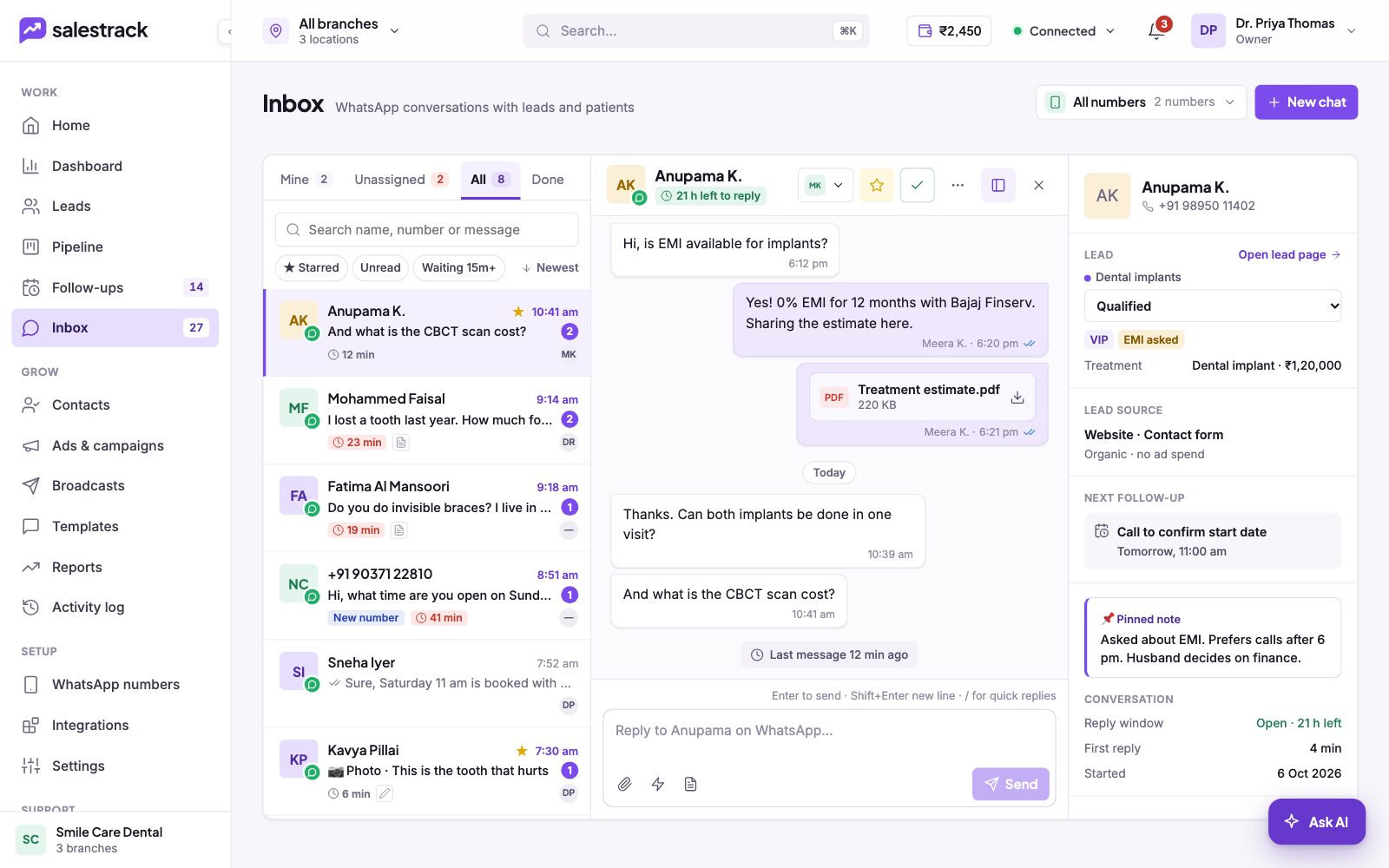
- In the chat. Under the lead's name, a timer shows the time left, for example 21 h left to reply.
- In the lead panel. Under Conversation, Reply window shows Open with the hours left.
- In the chat list. Chats whose window has ended show Window closed.
Reply when the window is closed
- Open the chat. In Inbox, click the chat marked Window closed.
- Pick a template. Use the template button in the reply box and choose an approved template that fits, such as a follow-up or reminder.
- Check the cost and send. salestrack shows what the template costs before you send it. The amount comes from your wallet.
- Chat freely once they reply. As soon as the lead answers, a new 24-hour window opens.
What it costs
Meta charges per delivered message, and the price depends on the message category and the lead's country. Templates are always charged. To understand how replies and templates are billed, see How WhatsApp message charges work.
Read next
Still stuck? Ask us on WhatsApp.Real people reply Monday to Saturday, 9 am to 9 pm IST. Tell us what you were trying to do and we will send the answer or the right guide.Message supportEmail us